
DCA Bot Settings: LONG and SHORT
This page explains the settings available when creating and editing a Bybot DCA bot. DCA LONG buys as the price falls and sells after a recovery. DCA SHORT sells an asset already held on your spot balance as the price rises and buys it back lower, without margin or leverage.
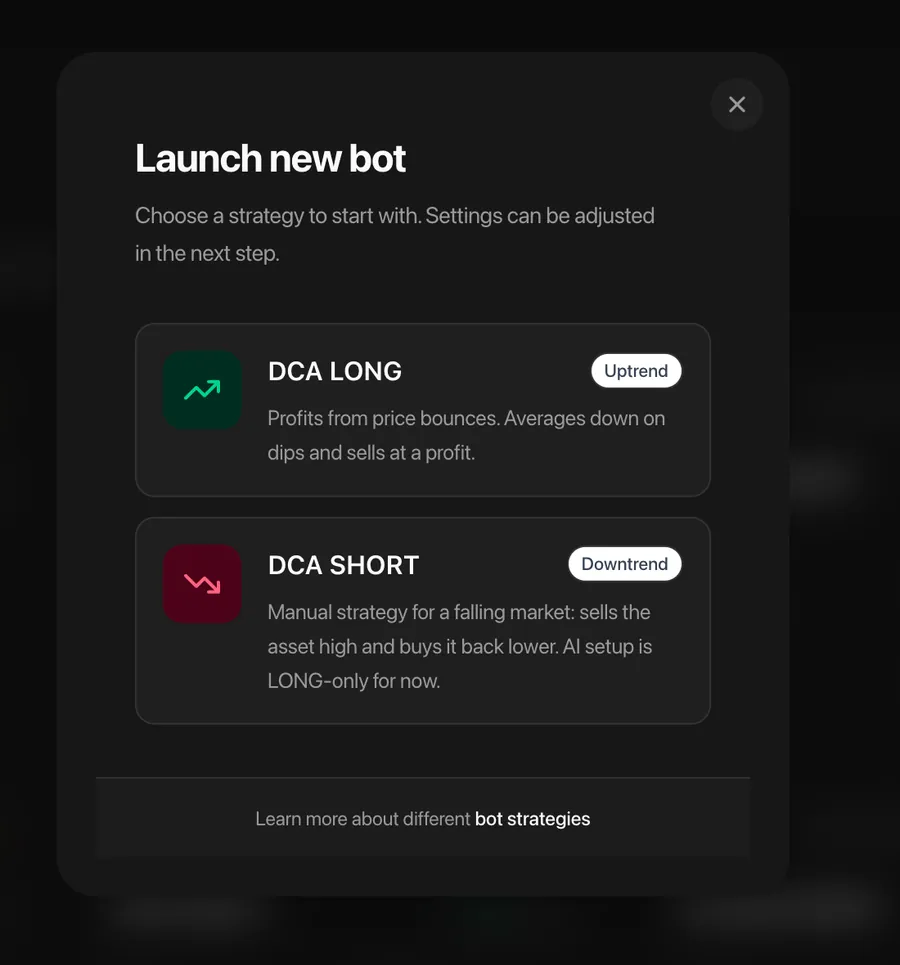
For the complete strategy flow and risks, see DCA LONG and DCA SHORT. For the setup sequence, see Creating a Bot.
General Parameters
These parameters apply to both DCA directions unless noted otherwise.
Exchange
Which exchange the bot will trade on: Bybit or MEXC. Selected at creation and cannot be changed later.
Trading Pair
Which asset is being traded — for example, BTCUSDT (bitcoin for dollars) or ETHUSDT (ether for dollars). Selected at creation and cannot be changed.
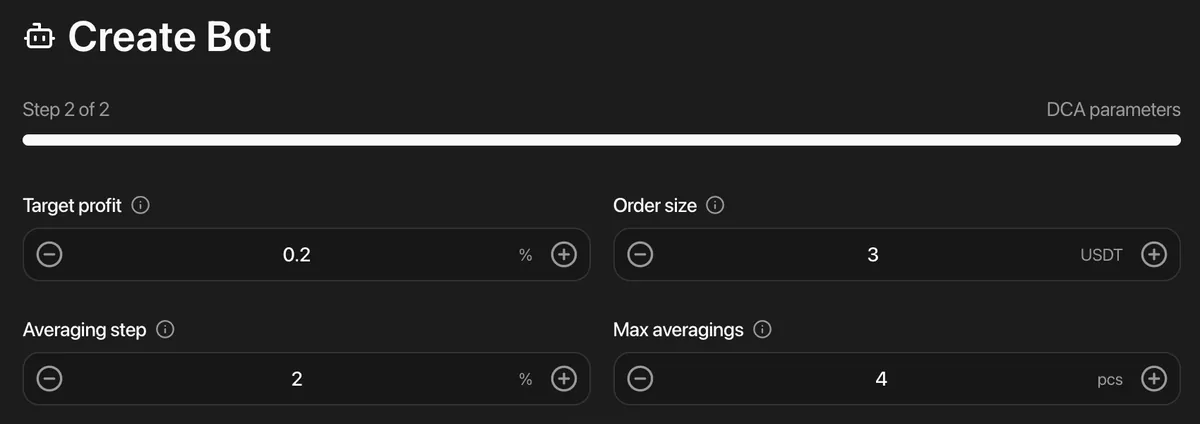
Order Size
The size of the first order and the base amount used to calculate later averaging levels.
- DCA LONG uses quote currency such as USDT or USDC to buy the asset.
- DCA SHORT uses the base asset already held on the exchange to place sell orders.
Size Mode
How to calculate the order size — in the quote currency or the base asset:
- Quote currency — for example, 5 USDT. The coin quantity depends on the current price.
- Base asset — for example, 0.001 BTC. The quote value changes with the market price.
DCA SHORT requires base-asset sizing. The size mode is selected when the bot is created and cannot be changed later.
Target Profit
The target percentage at which the bot closes the current cycle.
- DCA LONG closes by selling above the average purchase price.
- DCA SHORT closes by buying back below the average sale price.
DCA Bot Parameters
The same DCA controls are used in opposite price directions: LONG places additional buys below the entry, while SHORT places additional sells above it.
Averaging Step (%)
How far the price must move from the previous level before the bot places the next averaging order. LONG levels are below the entry; SHORT levels are above it.
LONG example: with a step of 2% and an entry at $100, the next buy levels are $98, then $96.04. SHORT applies the same setting upward from the entry price.
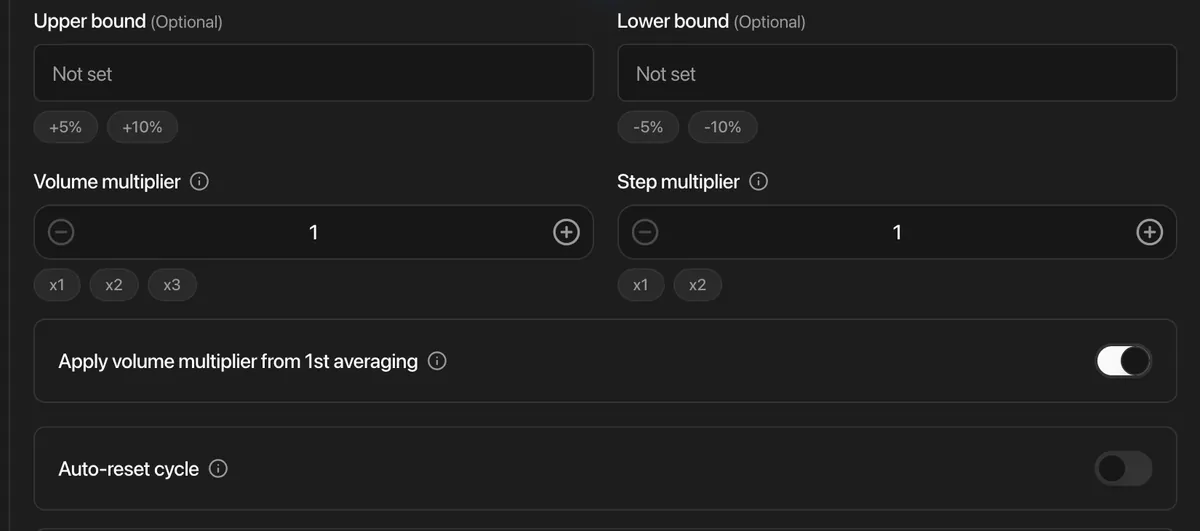
Step Multiplier
Increases the distance between averaging levels with each subsequent order (from 1 to 4). With a multiplier of 1, the step remains the same.
Example: with a multiplier of 1.5 and an initial step of 2%:
- 1st purchase — 2% drop
- 2nd purchase — 3% drop (2% × 1.5)
- 3rd purchase — 4.5% drop (3% × 1.5)
For LONG, the levels move progressively lower. For SHORT, they move progressively higher.
Volume Multiplier
Increases the size of each subsequent averaging order (from 1 to 4). With a multiplier of 1, all order sizes are the same.
Example: with a multiplier of 2 and a first order of 5 USDT:
- 1st purchase — 5 USDT
- 2nd purchase — 10 USDT
- 3rd purchase — 20 USDT
A larger multiplier changes the average entry faster but requires more quote currency for LONG or more base asset for SHORT.
Warning: a high volume multiplier rapidly increases order sizes. Make sure the exchange balance can cover every configured level.
Apply Volume Multiplier from 1st Averaging
Controls when the volume multiplier starts. When enabled, the multiplier applies to the first averaging order. When disabled, the first averaging order keeps the initial order size and multiplication starts with the next averaging order. This setting affects order volume only, not the distance between levels.
Max. Number of Averaging Orders
How many additional averaging orders the bot can place in one cycle (from 1 to 30). LONG places buys as the price falls; SHORT places sells as the price rises.
Example: with 5 averaging orders, the bot can place the initial entry plus up to 5 additional orders.
Auto Cycle Reset
Available for DCA LONG only. When enabled, the bot resets its DCA cycle after reaching the maximum number of averaging orders. DCA SHORT does not use auto-reset.
Single Cycle
When enabled, the bot pauses new entries after the current cycle closes and waits for a manual resume. Single Cycle is available for both LONG and SHORT and cannot be enabled together with Auto Cycle Reset.
Operating Range (optional)
The lower and upper price limits define where the bot may open or add to a position. They do not restrict the cycle-closing sell or buyback, do not close an open position, and are not a stop-loss.
- Lower limit — the bot does not place entry or averaging orders below this price.
- Upper limit — the bot does not place entry or averaging orders above this price.
Target Profit (%)
The percentage used to calculate the cycle-closing order: a sell above the average purchase price for LONG or a buyback below the average sale price for SHORT.
What Can Be Changed After Creating a Bot
Not all parameters can be changed after creating a bot. Click the “Edit” button on the bot’s page to change available settings.
Can be changed:
- Order size
- Target profit
- Lower and upper price limits
- Averaging step, step and volume multipliers, and volume calculation mode
- Maximum number of averaging orders
- Auto Cycle Reset for LONG or Single Cycle
Cannot be changed:
- Exchange
- Trading pair
- Strategy
- Direction
- Size mode
If you need to change parameters that are not editable, create a new bot with the desired settings.
After launch, use the actions described in Manual Control. Manual averaging is available for LONG; it is not available for SHORT.