
Connect to BYBIT Exchange
Bybot trades on your Bybit account through an API key. Your funds stay on the exchange: the key lets the bot see your balance and place spot orders, but it cannot withdraw funds. Setup takes about 5 minutes.
What you need
- A Bybit account — sign up
- Two-factor authentication (Google Authenticator) — Bybit won’t let you create a key without it
- A Unified Trading Account (UTA) — enabled by default on new accounts
1. Log in to Bybit
No account yet? Create one and complete verification.
2. Enable two-factor authentication
Go to Profile → Security and set up Google Authenticator. Without 2FA, the API key creation button stays unavailable.
3. Open API management
Click the profile icon in the top-right corner and select API.
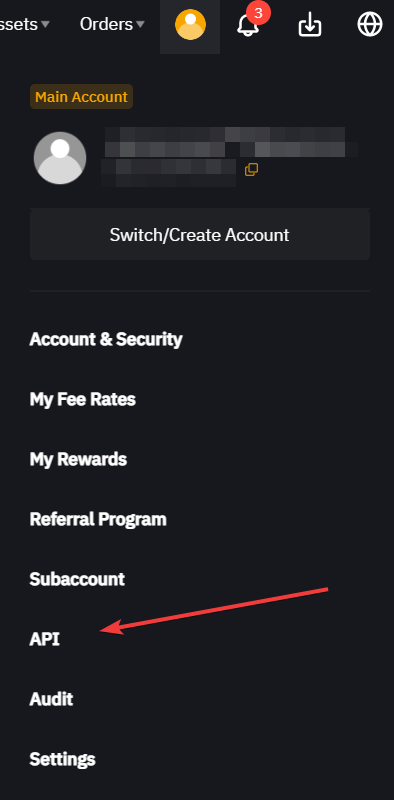
Or type API into the search bar on the exchange website.
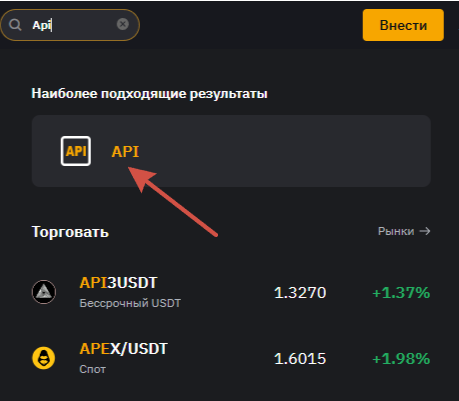
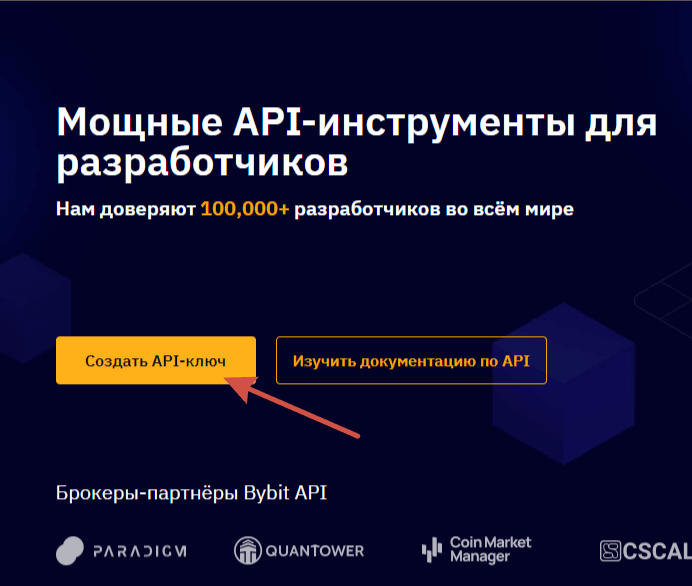
4. Click “Create API Key”
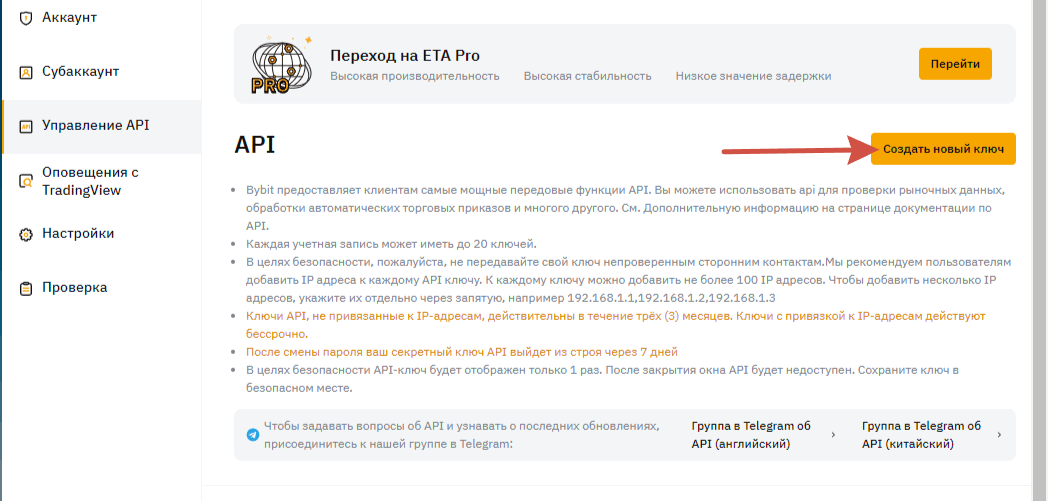
Then click “Create New Key”.
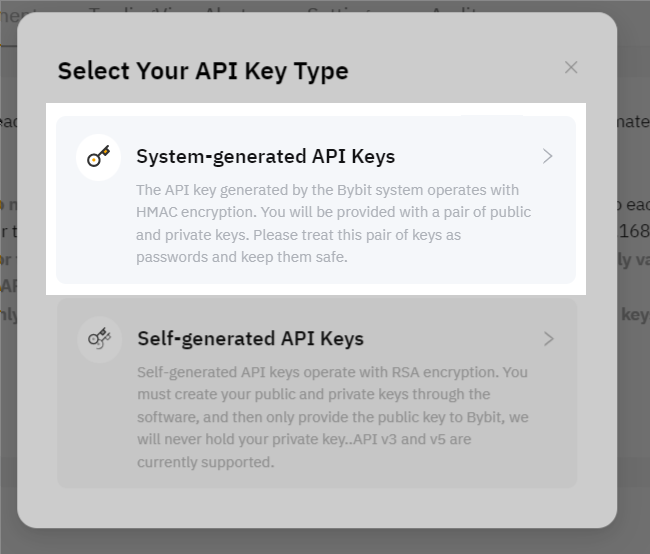
5. Select “System-generated API Keys”
6. Configure the key
| Field | What to select |
|---|---|
| API key usage | API Transaction |
| API key name | Anything, e.g. bybot |
| API key permissions | Read-Write |
| IP restriction | No IP restriction |
| Unified Trading Account → SPOT | ✅ Trade |
Leave every other checkbox (Contract, USDC Contracts, NFT, Assets) unchecked — the bot doesn’t need them. Click “Submit”.
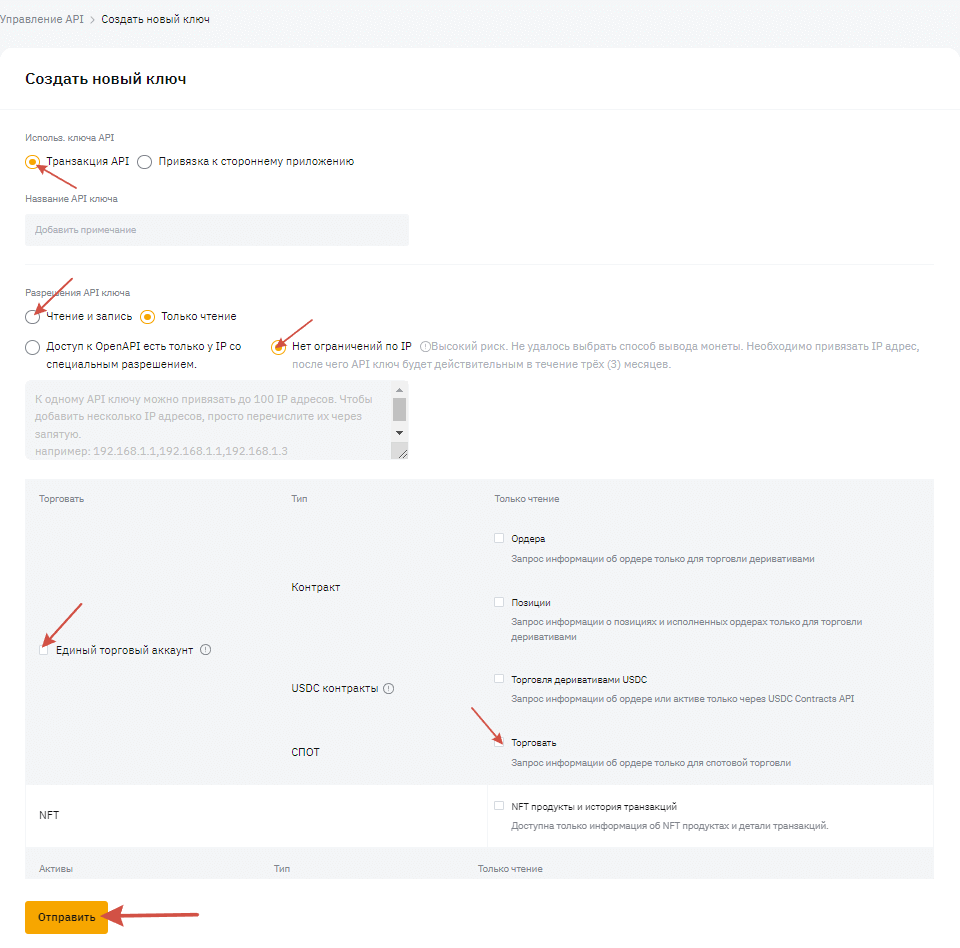
Don’t select “Connect to Third-party Applications”. That option is for Bybit partners from a preset list. Bybot needs “API Transaction”.
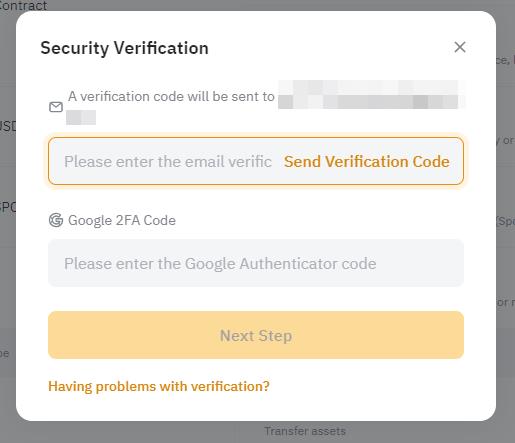
7. Confirm key creation
Enter the code sent to your email and the code from Google Authenticator.
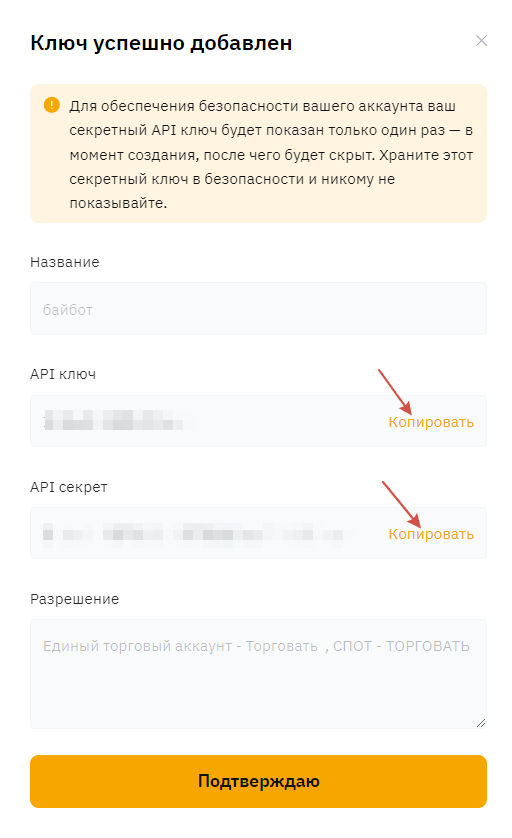
8. Copy the API Key and API Secret
Store both keys somewhere safe.
The secret key is shown only once. Don’t close the window until you’ve copied it. If you lose it, delete the key and create a new one.
9. Add the keys to Bybot
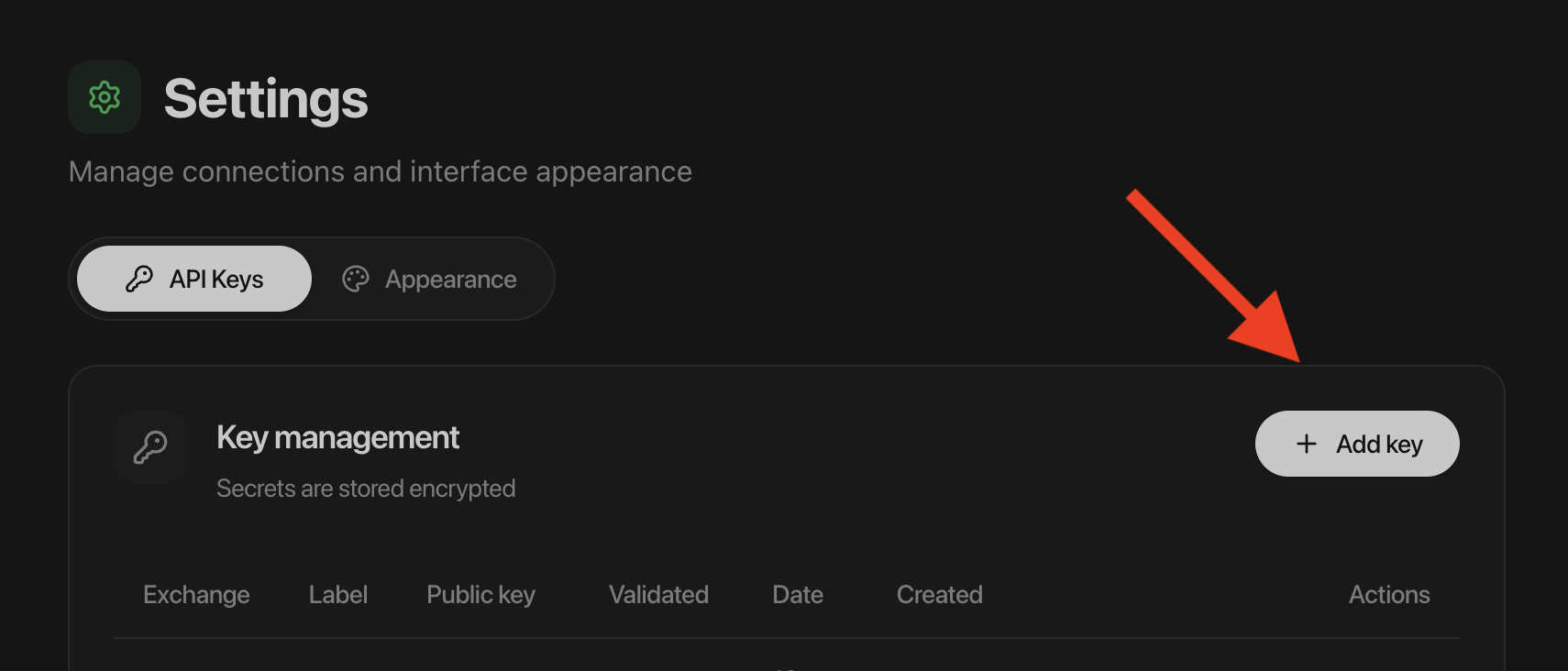
In Bybot, open “Settings” → “API Keys” and click “Add key”. Select BYBIT, paste the API Key and API Secret, and save.
10. Check your balance
The bot trades with funds on your Unified Trading Account. If you just deposited, the money may be sitting in your Funding Account — move it via Assets → Transfer → Unified Trading.
If there’s no USDT on your Unified Trading Account, the bot won’t start.
Key security
- Never enable withdrawals. Bybot doesn’t need this permission.
- Bybot will never ask for your Bybit password or 2FA codes.
- If the key leaks or you stop using the bot, delete it on the Bybit API page. Access ends immediately.
Common issues
Can’t create a key. Make sure Google Authenticator is connected. Bybit doesn’t allow API keys without 2FA.
The bot won’t start. Check three things:
- there’s USDT on your Unified Trading Account;
- the key has “Read-Write”, not “Read-Only”;
- “Trade” is checked under SPOT.
The account isn’t a Unified Trading Account (UTA). Older Bybit accounts may still be on the standard account. How to switch: Bybit guide, what UTA is.
The bot stopped trading after 3 months. Bybit keys without an IP binding are valid for 3 months. Create a new key with this guide and replace the old one in Bybot.
Official exchange guide: How to create an API key on Bybit.