
Connect to Gate.io
Bybot trades on your Gate.io account through an API key. Your funds stay on the exchange: the key lets the bot see your balance and place spot orders. Setup takes about 5 minutes.
Turn off Withdrawal yourself. On other exchanges Bybot rejects a key that can withdraw. Gate.io doesn’t show a key’s withdrawal permission, so Bybot can’t check it and will accept such a key. Bybot never calls withdrawals, but keep Withdrawal and Wallet off.
What you need
- An account on the global gate.com with a classic spot account. Unified (portfolio) accounts, regional Gate versions and TestNet won’t work
- Two-factor authentication and a fund password on Gate.io — the exchange asks for them when you create a key
- USDT on your Gate.io Spot account
1. Log in to Gate.io
Open gate.com and log in. No account yet? Create one and complete the verification Gate.io asks for.
2. Open API Management
Click the profile icon in the top-right corner and select API Management.
3. Click “Create API Key”
Select API v4 Key and create a new key just for the bot.
4. Configure the key
| Field | What to select |
|---|---|
| Account type | Classic Account |
| Remarks / name | Anything, e.g. bybot |
| IP permissions | don’t bind an IP |
| Spot Trade (in the old interface — Spot/Margin Trade) | ✅ Read and Write |
| Withdrawal | ❌ off |
| Wallet | ❌ off |
Other permissions aren’t needed — leave them off.
Don’t add IP addresses. Bybot connects from its own servers, and a key bound to an IP won’t work with them. Gate.io keeps a key without an IP valid for 90 days — see “Key lifetime” below.
5. Confirm key creation
Enter the fund password and the verification codes Gate.io asks for.
6. Copy the API Key and Secret
Gate.io shows the API Key and the Secret. Copy both and store them somewhere safe.
The Secret is shown only once. If you lose it, delete the key and create a new one.
7. Add the keys to Bybot
In Bybot, open “Settings” → “API Keys” and click “Add key”. Select Gate.io, paste the API key and Secret key, and click “Save”.
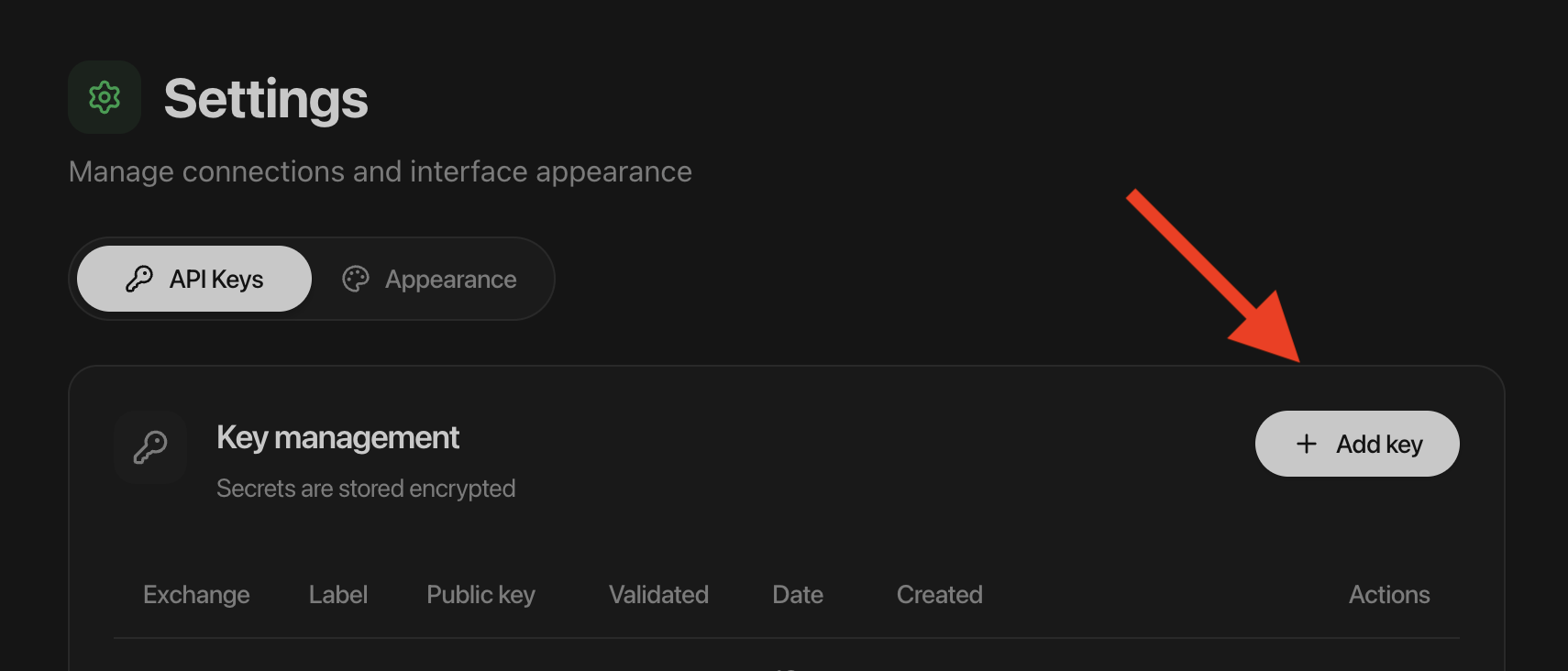
Bybot checks that the key works and can trade spot. A successful check doesn’t prove that the account is classic or that withdrawals are off — check both yourself.
8. Check your balance
The bot trades only with funds on your Spot account. Transfer money from other Gate.io accounts to Spot.
Key lifetime
Gate.io keeps a key without an IP binding valid for 90 days. The key card in Bybot shows the date when the key expires: 90 days from the moment you added it to Bybot. If you created the key earlier, it expires earlier — that’s why you create a new key just for the bot.
A few days before the date, Bybot sends a reminder. “Check key” doesn’t extend the key. To replace the key:
- Create a new key on Gate.io with this guide.
- In Bybot, open “Settings” → “API Keys” and delete the old Gate.io key.
- Add the new key.
If the key has already expired, the bot pauses until you add a new one.
What to know about Gate.io
- Fee — at the base Gate.io tier (VIP0) when connecting, 0.1% per order. Current rates depend on your tier and GT discounts — check them on the Gate.io site. On a buy, Gate.io takes the fee in the bought coin, so slightly less lands on your account. Bybot accounts for this.
- Pairs — spot pairs to USDT.
- Minimum order — set by Gate.io for each pair; for BTC/USDT, for example, it’s 3 USDT. Check that your DCA buy size is above it.
- Minimum profit — the DCA bot’s minimum profit setting on Gate.io is 0.30%, so a cycle covers the fees for the buy and the sell. It’s a setting limit, not a guaranteed net profit.
- Strategies — DCA (LONG and SHORT) and Grid on spot. Backtesting on Gate.io data isn’t available yet.
Key security
- Withdrawal is your responsibility. Bybot can’t see the withdrawal permission of a Gate.io key. Keep Withdrawal and Wallet off.
- Bybot will never ask for your Gate.io password, fund password or 2FA codes.
- Never send the Secret in chats, screenshots, tickets, or shared documents.
- If the key leaks or you stop using the bot, delete it on the Gate.io API Management page. Access ends immediately.
Common issues
“Gate.io rejected the key”. Check that you copied the API Key and Secret in full, without extra spaces. The key must be an API v4 key created on the global gate.com for a classic account. If the key has an IP address or is older than 90 days, create a new one.
“The key has no spot trading permission”. Turn on Spot Trade (Spot/Margin Trade) with Read and Write in the Gate.io key settings.
The bot paused after about 3 months. The key expired 90 days after it was created. Create a new key and replace the old one in Bybot.
The bot doesn’t see the balance. The money isn’t on the Spot account, or the account is unified. Transfer the funds to Spot in a classic account.
Lost the Secret. Gate.io shows it only once. Delete the key, create a new one and add it to Bybot.
Official exchange page: How to create and manage API keys on Gate.