
Connect to OKX
Bybot trades on your OKX account through an API key. Your funds stay on the exchange: the key lets the bot see your balance and place spot orders. Bybot rejects any OKX key with the Withdraw permission, so funds can’t be withdrawn through the key. Setup takes about 5 minutes.
What you need
- An account on the global okx.com. Keys from OKX US (us.okx.com), OKX EEA (eea.okx.com), my.okx.com and demo trading won’t work
- Two-factor authentication enabled on OKX — the exchange asks for a code when you create a key
- USDT on your OKX Trading account
1. Log in to OKX
Open okx.com and log in. No account yet? Create one and complete the verification OKX asks for.
2. Open the API page
Click the profile icon in the top-right corner and select API (in some languages the item is called “API and connections”).
3. Click “Create API key”
Create a new key just for the bot, even if you already use OKX keys in other programs.
4. Configure the key
| Field | What to select |
|---|---|
| API key name | Anything, e.g. bybot |
| Passphrase | Your own password for this key. Save it — you’ll need it in Bybot. Don’t start or end it with a space |
| Permissions | ✅ Read, ✅ Trade |
| Withdraw | ❌ off |
| IP address | leave empty |
Click “Submit all”.
Don’t add IP addresses. Bybot connects from its own servers, and a key bound to an IP won’t work with them.
5. Confirm key creation
Enter the verification codes OKX asks for (2FA and, if requested, email or SMS).
6. Copy the API key and Secret key
OKX shows the API key and the Secret key. Copy both and store them somewhere safe together with the passphrase.
The Secret key is shown only once. If you lose it or forget the passphrase, delete the key and create a new one.
7. Add the keys to Bybot
In Bybot, open “Settings” → “API Keys” and click “Add key”. Select OKX, paste the API key, Secret key and Passphrase, and click “Save”.
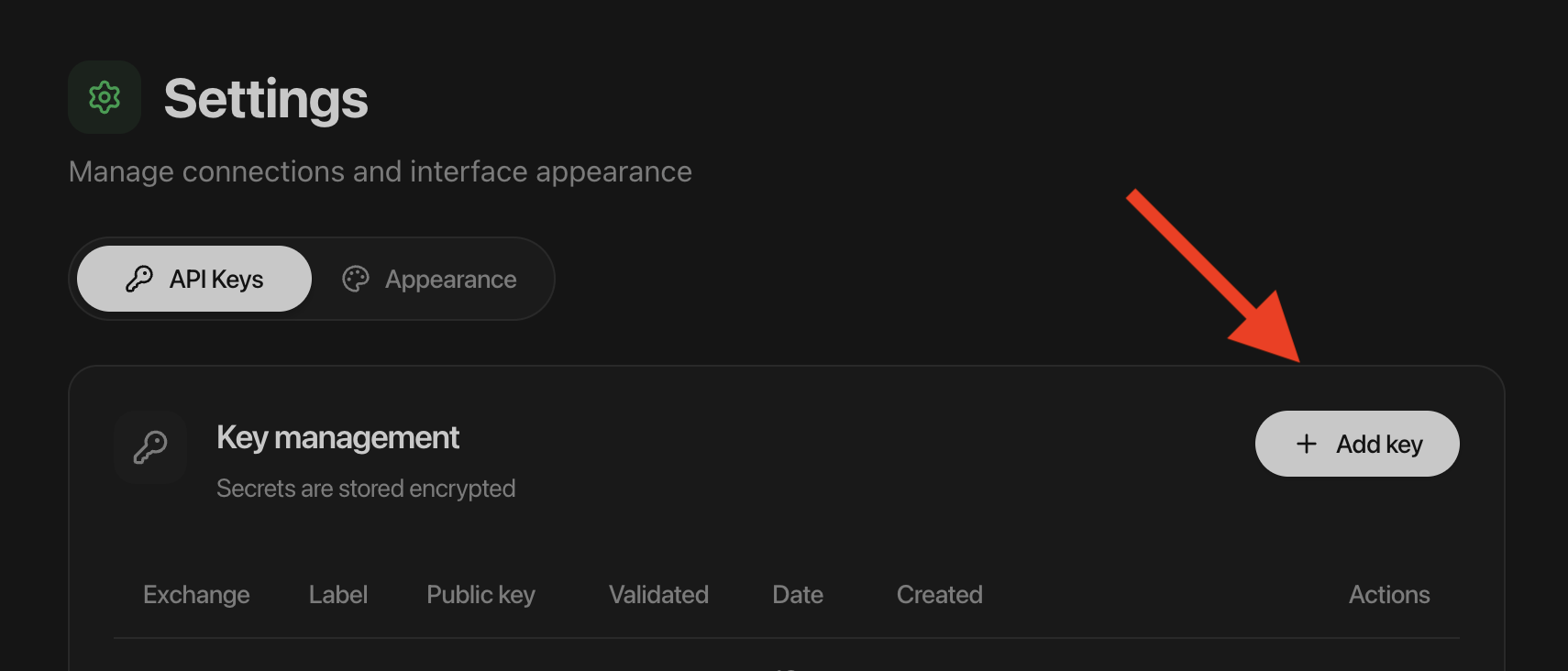
Bybot checks the key right away: it must have the Trade permission and no Withdraw permission.
8. Check your balance
The bot trades only with funds on your Trading account. It doesn’t see money on the Funding account — transfer it to the Trading account in OKX.
Key lifetime
OKX keys have no expiry date, and the key card in Bybot shows “No expiry”. But OKX deletes a key without an IP binding after 14 days without use. While a bot is running, the key is in use and stays alive. If you stop all bots for a long time and the bot doesn’t start because of the key, create a new key with this guide and replace the old one in “Settings” → “API Keys”.
What to know about OKX
- Fee — at the base OKX tier when connecting, 0.08% for maker orders and 0.10% for taker orders. Current rates depend on your tier — check them on the OKX site. On a buy, OKX takes the fee in the bought coin, so slightly less lands on your account. Bybot accounts for this.
- Pairs — spot pairs to USDT.
- Minimum profit — the DCA bot’s minimum profit setting on OKX is 0.29%, so a cycle covers the fees for the buy and the sell. It’s a setting limit, not a guaranteed net profit.
- Strategies — DCA (LONG and SHORT) and Grid on spot. Backtesting on OKX data isn’t available yet.
Key security
- Withdrawals are blocked. Bybot rejects an OKX key with the Withdraw permission.
- Bybot will never ask for your OKX password or 2FA codes.
- Never send the Secret key or the passphrase in chats, screenshots, tickets, or shared documents.
- If the key leaks or you stop using the bot, delete it on the OKX API page. Access ends immediately.
Common issues
“OKX rejected the key”. Check that you copied the API key, Secret key and passphrase in full, without extra spaces. The key must be created on the global okx.com, not in demo trading or on OKX US/EEA. If the key has an IP address, create a new key without one.
“The key has no trading permission”. Turn on Trade in the OKX key settings, or create a new key with Read and Trade.
“The key has the Withdraw permission”. Create a new OKX key without Withdraw and add it to Bybot.
The bot doesn’t see the balance. The money is on the Funding account. Transfer it to the Trading account.
The bot didn’t start after a long break. OKX deleted the key after 14 days without use. Create a new key and replace the old one in Bybot.
Official exchange page: OKX API.